Author Archives: leslie

Sketching from Photos

I get a lot of questions about sketching from photos. I thought I'd share some observations on the idea.

The first thing I'll share with you is that size matters, the bigger the image the better. It's much easier to make something smaller in size than to make it larger (enbiggen). The quality of the image matters a lot. A really washed out or overexposed snapshot is very hard to work from.

For instance, the following image would be very difficult to sketch. First, the face is far to small to draw anythign accurate. Second, the face is washed out, it's an even smooth tone. NO wrinkles or points of reference are visible. It would be very difficult to translate this face to a drawing or painting.

image from www.flickr.com


The following image is better- larger in size and the face is not over exposed. It would work to sketch. There are lots of nice gray tones in the image and it would be easy to pick out dark and light areas to work. (Plus look at that crazy mustache!)


image from www.flickr.com

I've mentioned in Challenge! that I love working from the images in Flickr's Commons, and both of these images are from the set "Civil War Faces." There is a lot of history in that set and some amazing facial hair on the men.

When I sketch faces I start first by observing the image close, I make mental notes of where the darkest and lightest area are located. Then I make a light reference drawing and add layers of light gray to build up layers of shadow and end with the darkest darks. This drawing of "Modern Cowboy," shows my method.


3 step portrait of a soldier

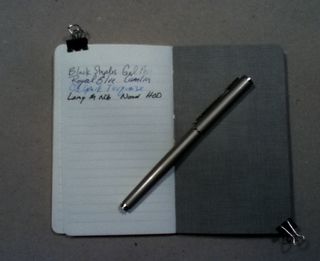
This portrait was done in a 3.5*5.5 canson blue book. I started the sketch with a extra fine point fountain pen. This part of the sketch took roughly 5 minutes. I then added the light areas of shadow with gray ink in a Pentel pocket brush pen (PPBP). I added additional layers to create darker areas of shadow before switching over to a Kuretake #8 brush pen with black ink. After that I used sepia colored watercolor to color the background.

3 step portrait of a soldier

3 step portrait of a soldier

3 step portrait of a soldier

You can get a Kuretake #8 brush pen from Jetpens.com for about $13.50 it's a very nice brush pen, though much longer than the PPBP.

Photography in my Art Journal

Check out Jasmin and Traci's posts.

I use 3 main ways of getting the images from my cameras and into my journals: sketches, toner transfer and Pogo printer. The toner transfer and pogo prints require me to transfer the image into my computer. After that I decided how I’m going to print them.

When I use the pogo I often trim the images to look like mini Polaroid prints using this method. If I decided to simply print the image the Pogo will center and crop it to fit. It works best if you shoot in 2×3 mode, if your camera has a setting that allows you to chose. Otherwise you can import it into Picasa and edit it so it’s also 2×3 and have it cropped exactly the way you’d like and then print via the Pogo.
P1303793
When I use a toner transfer I usually paste the images into a M!crosoft Publisher document so I can make the pics the size I want and fill an entire page with the images. (See a video on one of my toner xfer method here, it’s Ustream and longish and see this blog post on another method.) I then xfer them in to the journal. It’s best with toner transfers to do them quickly, as a fresh print works best.

The other method in which I use photos is to draw them. I’ll bring an image up on screen and then sketch from the image. Sometimes I’ll add watercolor or acrylic over the top or l’ll go over the top of a background I’ve created in the past. Sometimes I’ll use images I’ve found on Flickr’s commons as inspiration.

IMG_0892


Photos can be used in so many different ways in art journaling it’s amazing and they are continually inspiring.

Check out Jasmin and Traci's posts.

Photos in my Art Journal pt 2

Check out Jasmin and Traci's posts.

I use the cameras to capture the things I see that spark my imagination or creativity. When I see something that captures my eye, I whip the iPoo out and snap a picture. In the summer I take a long walk with the intent to capture my surroundings. I use each of the cameras with a different purpose in mind. Mostly though I shoot pictures for the fun of it, I don’t know if they will end up in a journal or in a blog post.

With my iPoo I use several apps they are as follows: Hipstamatic, Instagram and Camera+. I use Camera+ and Hipstamatic most often. I enjoy the randomness of Hipstamatic and conversely, the control Camera+ gives me. I’ve been giving myself a little challenge using Hipstamatic which you can read about here. Most of the challenge is teaching myself to see for the camera and through the camera. I’m shooting the same subject 5 days a week and it’s a challenge to make the image new and interesting without relying on the app to do it for me.

image from www.flickr.com

With my PEN2 and point and shoot I transfer images to my computer using Picasa. I also use Picasa for minor edits- color correction, contrast, and switching the image to black and white if I’m looking for that. Most of the images I take with these 2 cameras are used pretty much straight out of the camera or switched to black and white. I don’t change much with them. Normally I up the contrast and increase the saturation of the images. If I need to do anything more intense, I use GIMP, which is a freeware Photoshop knock off.

P8302632


Ultimately with the PEN2 I’m a fan of Straight Out Of the Camera (SOOC) photos. I’ll crop them to size but the ultimate goal is to capture an image with the camera that will look, when printed as I attempted to capture it. For me the PEN2 is for clear contrasty images and the iPoo is for fun artsy images. With the PEN2 I was able to buy an inexpensive adapter (around $20 on eBay) and put vintage lenses on it. I chose Canon lenses because there were a lot on eBay. But I could have gone with vintage Russian lenses or Nikons or even old video lenses. Adapters rock my world and vintage lenses really give the modern camera a whole new feel.

 P9153010

The iPoo is a fixed focus camera, meaning it has one lens and that's it… Except that you can get some great stick on lenses for the iPh0ne and iPoo. These little lenses come with a stick on ring that attaches to the iPoo and the lens then attaches with magnets. These little adapters are a ton of fun. They aren't high quality but they change the focusing ability of the camera. My favorites are the wide angle and the macro lenses.These little add ons can be found on eBay for pennies or you can get one of better quality on PhotoJojo.com. I also have that adapter ring on my cell phone's camera, I refer to my cell phone as the "kinda smart phone."

Ultimately the best camera is the one you'll use.

 Check out Jasmin and Traci's posts.

Journal Photography

Call this a Blog Circle, Jazmin, Traci Bunkers and I decided we’re all write on the same subject this week. Our topic for the week is: Using photography and photos in our art journals.

I’ve been talking to Jazmin aka Sirensidyll about how we both use cameras in our art journals. The more I talked to her the more I realize that my cameras are an integral part of my art journaling process. I have a camera in my bag pretty much everywhere I go. Here’s a brief overview of the cameras I use:
My iPod touch
A Canon Ixus 1100
and a Olympus Pen PL2 with a variety of vintage lenses

IMG_0903

In the past, before I got the iPod touch I used my Canon Ixus point and shoot more often than I do now. It was small and I could slip it into my bag and take it anywhere. My Canon P&S takes great clear pictures. Now that I have an iPod touch 4th generation I’ve got a smaller camera I can take anywhere. The photos it takes are not as good as the Canon but it does a pretty good job. Additionally I can download a bunch of cool apps for my iPod that adapt and change the appearance of the image. I take one of these 2 with me everywhere.

IMG_0825

In the summer I take my Olympus Pen PL2 with me almost everywhere. I purchased a few vintage lenses and an adapter so that the old manual lenses can be used. The old fashioned and antique lenses lend a different look and coloration than modern lenses. With the vintage or new lenses it takes sharp crisp photos with great color.

I use the iPoo for 90% of my image (not accurate mathmatically.) It’s so small and portable that I forget I’m carrying it. I don’t worry about dropping it, well much, and it doesn’t weight me down. Sure, it doesn’t have fancy lenses but it captures ideas as well as a thumbnail sketch.

IMG_0902

Something that is unusual about photography,  at least for me, is that I didn’t start taking pictures until I was in my last year at college. For that last year, I used disposable point and shoot cameras that I took to the local pharmacy for development. It wasn’t until I was 22 that I got my first “real” camera, a Canon ELPH, and it took bright crisp and clear images. I still have that camera, though I never use it. Shortly after that I got my first digital, and HP something or the other, a 1.2 mega pixel brick, and by brick, I mean it was brick sized, shaped and weight. After using that camera to it’s death I graduated to a Canon Digital ELPH and kept it for years.

IMG_0907

Wednesday we’ll all talk about what apps and programs we use to manipulate our images. Check out Jazmin and Traci's posts on their blogs.

All images in this blog post were shot with my iPoo touch 4th gen I'll talk about the apps I use in the next post. (I refer to my iP0d as the iPoo to avoid attracting attention from the spam brigade.)

Videos of Cowboy Drawings

I've writen previously about my obsession with the cowboys in Flickr's Commons. I even crafted my first Challenge! on ArtJournaling.ning.com around them. For the Challenge! I recorded myself sketching a few cowboys from the Commons. View the videos here and then head over to ArtJournaling.ning.com to check out the Challenge! and join in on the fun.


Challenge!

Challenge! is a group on ArtJOurnaling.ning.com that includes weekly challenges for art journalers. The group is free and donation based. It seems NIng has blocked me form being able to add a paypal button on my Challenge! pages. So here is the donation page for Challenge! If Challenge! has inspired or motivated you to work in your art journal, please consider a donation to help me run the site.


Tips